Travel guide
The best travel app for young people is the one your friends will open
We put seven apps through three group trips and judged them on the parts that actually break: saved reels, a group that will not decide, offline maps and who owes who.
By TripSake travel desk · Published · Updated · 11 min read

- Apps compared
- 7, from full planners to a Maps list
- Tested on
- 3 trips, groups of 4, 6 and 9
- Judged on
- 6 things a group trip runs on
- Rival prices checked
- July 3, 2026
- Cheapest that does everything
- TripSake, free, no paid tier
- Best single-purpose app
- TripIt Pro, if you fly alone often
The short answer
For a trip in your twenties, pick the app that survives the friend who refuses to install anything. Wanderlog is the strongest free planner until you need offline maps. Splitwise handles money only, with a cap. TripSake covers saved reels, votes, offline and costs in one free app.
What to take away
- The app has to survive the friend who will not install anything. That alone rules most of them out.
- Offline maps and budget tracking are what planners charge for. Find out before you are on the plane.
- Only TripSake turns a saved reel into a place on a map. Everywhere else you retype it by hand.
- Splitwise caps its free tier at roughly three expenses a day, which is one dinner and two taxis.
- Group chat is not the problem. Losing the decision inside 400 messages is the problem.
What a trip in your twenties actually looks like
Nobody in our groups has ever opened a travel app first. The trip starts when someone sends a reel to the chat in February with no caption. Four months later there are 38 links, six of them dead, two flights booked by different people on different days, and one person quietly building a spreadsheet nobody else will ever open.
Most travel apps are designed for the person with the spreadsheet. They assume you already know where you are going, that everyone will make an account, and that planning means typing place names into a search box. That describes almost nobody under thirty.
So we judged these seven on the six things that broke on our own trips, not on feature lists.
- Can it take a saved reel or TikTok and turn it into a place on a map?
- Can six people use it without six people signing up?
- How does the group decide, and does the decision survive the week?
- Does it work with no signal, on a bus, in a tunnel?
- Does it handle money, or is that a second app and one annoyed person?
- What does it cost, and which parts stop being free at the airport?
It starts as a saved reel, not a search
This is the biggest gap between how people find places and how planners expect them to. A fifteen second clip of a bakery counter in Lisbon has no name in it. It has a face, a croissant, a song and maybe a hand-drawn caption. The Instagram save folder holds forty of those, and none of them are searchable.
Wanderlog, TripIt, Google Maps and Notion all start from a name you type. Which means the real work is you, at 23:00, freeze-framing a video to read a sign in the background, then reverse-searching the street. We timed it on the Lisbon trip: 90 minutes to convert 22 saved videos into pins, and we got four of them wrong.
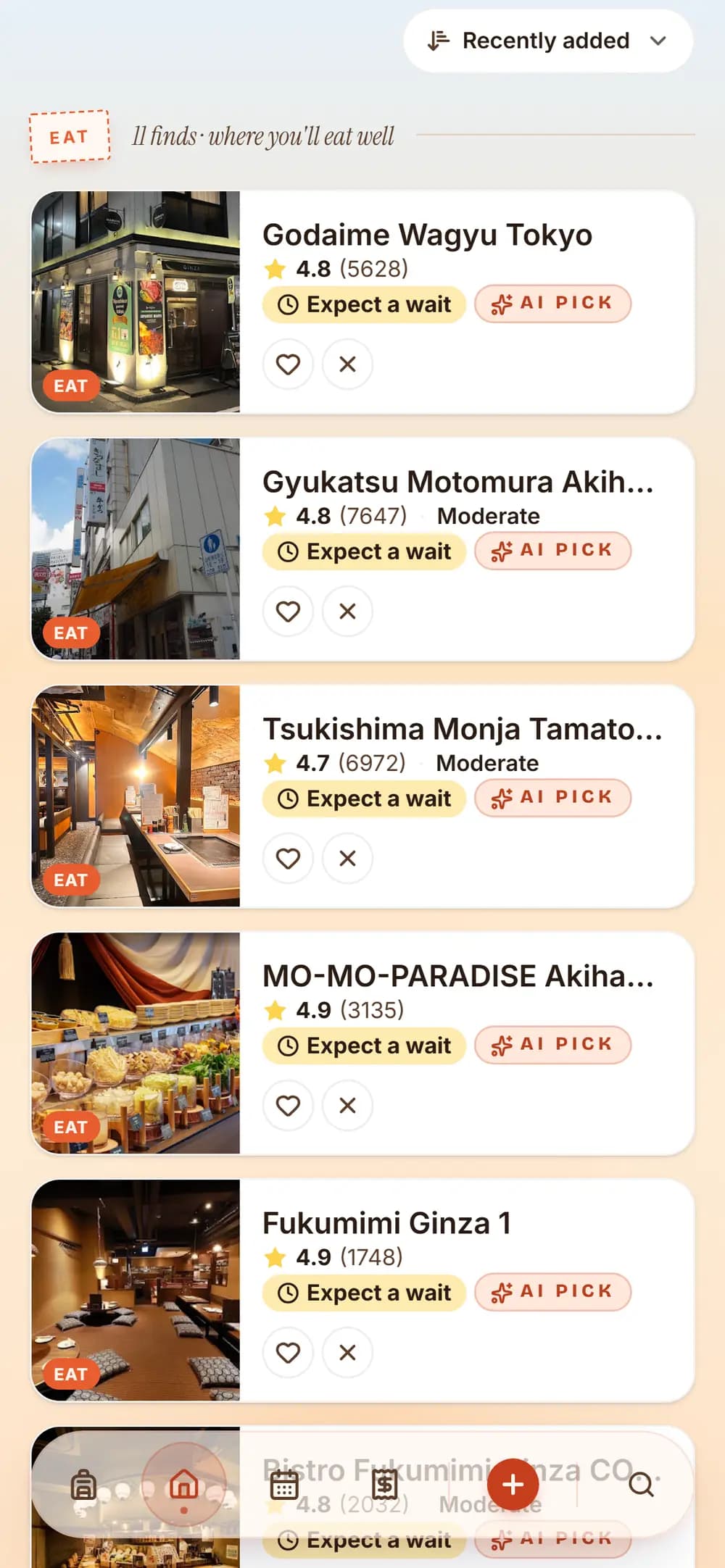
TripSake reads the link instead. Paste an Instagram, TikTok or YouTube URL and the places shown or named in it are identified and pinned, with photos, rating, price level and opening hours attached, and the clip kept next to the pin so it still means something in six weeks. If two people save the same restaurant from different videos, it merges into one spot rather than two.
This is the one thing on the list with no workaround. None of the other six do it, which is the reason we built ours.
Multi-user planning, and the friend who will not install anything
Every group has one. They agree to the trip, they are the reason half the plan is fun, and they will not make an account for a planning app. In a group of six that person does not become a non-participant. They become a bottleneck, because now the plan has to be screenshotted to them, and their opinion arrives as a voice note.
Wanderlog, TripIt, Splitwise and Notion all require every collaborator to sign up. Google Maps lists can be shared by link, but a shared list is a pile of pins with no dates, no times and no way to say no to one.
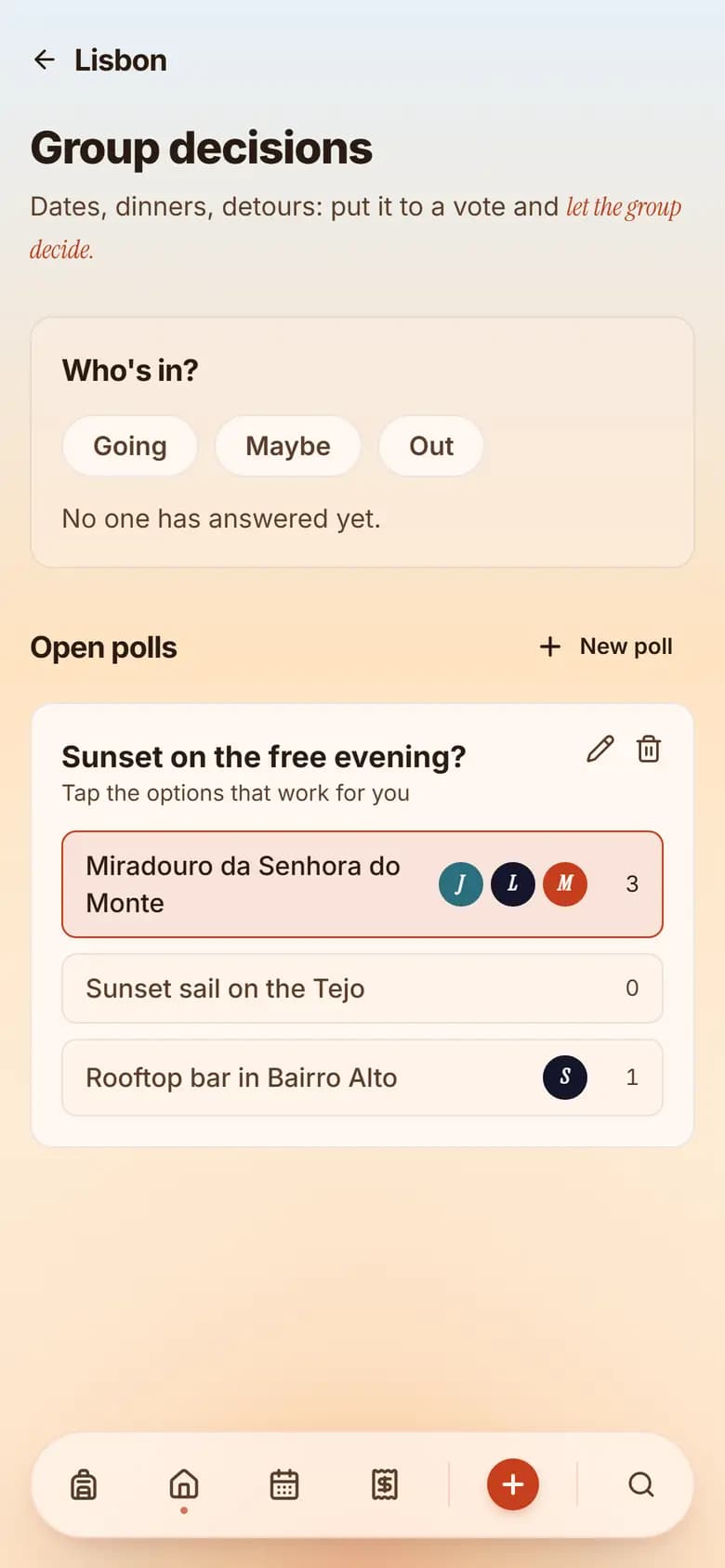
TripSake sends one invite link. Guests open it in a browser, see the plan, add places and vote, without installing anything or creating an account. On our nine-person trip, four people never signed up and all four still voted on the Saturday dinner.
The second half of multi-user planning is deciding. Shared editing is not deciding. When six people can all edit the same list, what happens is that the person who cares most builds the whole thing, two people quietly hate one day of it, and the disagreement finally surfaces at a tram stop.
The chat question
People search for group trip planning apps with chat built in, and the reasoning makes sense: the trip lives in the chat, so put the planning there. In practice, in-app chat is where we saw the most abandonment. Nobody moves a four-year-old WhatsApp group into a travel app for one trip. You end up with two chats, and the second one is empty by day three.
What the group chat is genuinely bad at is not talking. It is deciding. A message saying "Sunday could we do the market instead?" gets three thumbs up and then vanishes under 60 messages about the airport transfer. Nobody can find it, and on Sunday you go to the wrong place.
A closed poll beats a chat tab. In TripSake every place takes a yes or a no, a poll opens when the group is genuinely split, and the plan changes when it closes, so the answer is still there on Sunday morning. We deliberately do not try to replace WhatsApp. Wanderlog has comments but no voting. Notion has comments that nobody reads on a phone.
Offline maps, and the day you find out yours was Pro
This is the one that costs you a real afternoon. You land, you have no roaming or a 500 MB cap, the group splits at a metro station and half of them are looking at a loading spinner. The plan you spent three weeks on is a blank screen.
Wanderlog puts offline access behind Pro, so the free version is the one that fails at exactly the moment you need it. Google Maps does offline properly and for free, and if you download the area before you fly it is the most reliable map on this list, but it holds no plan, no times and no group. Notion has an offline mode that is unreliable on a phone and will happily show you a stale page. TripIt keeps your itinerary readable offline, which is fine, because your itinerary is one flight.
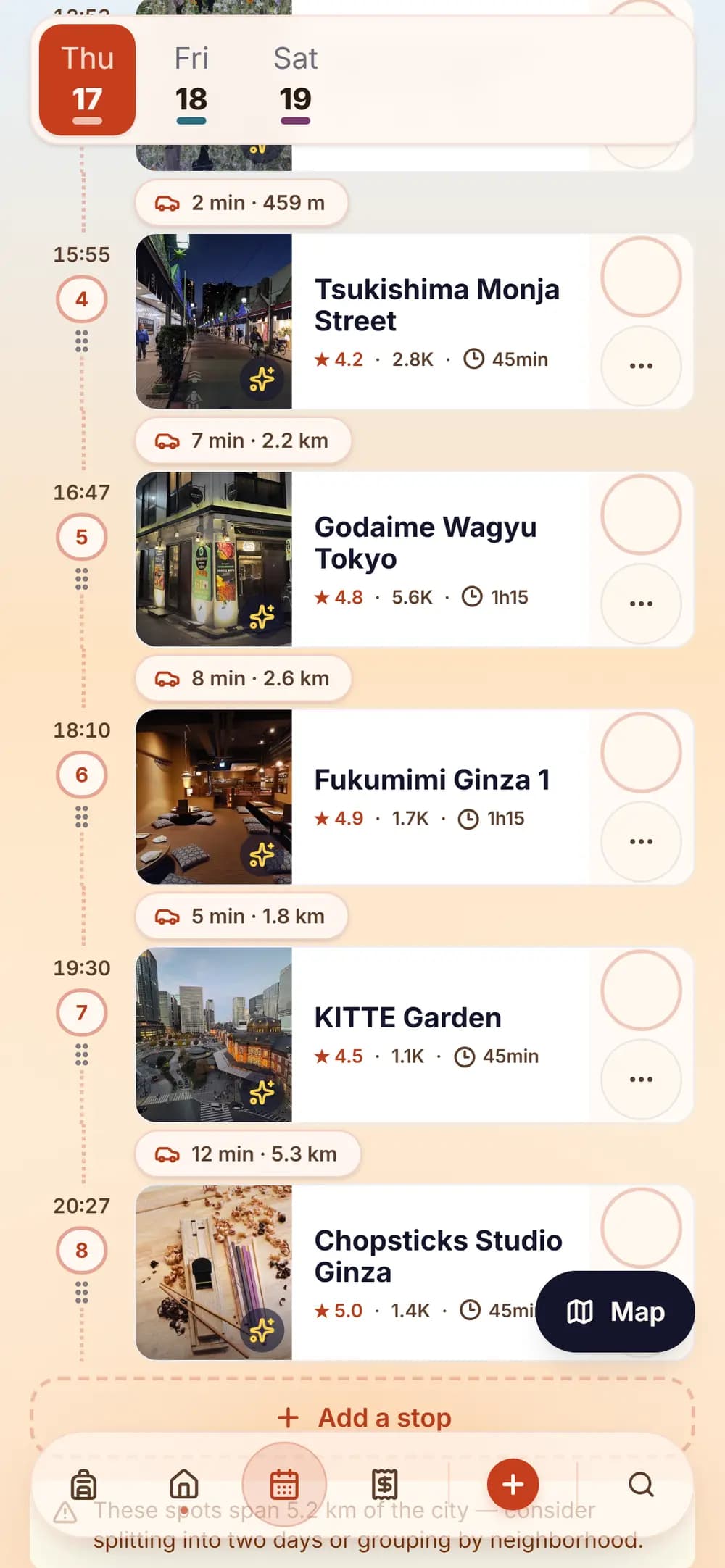
TripSake caches the whole trip on the device, free: the plan, the places, opening hours, the day order and the expenses. We tested it on a train through Croatia with no signal for 40 minutes, then again on airplane mode, and the fix that took the longest to get right was that a phone will tell you it is online when it is not.
Splitting costs without adding a second app on day three
The money app always arrives late. Somebody has already paid for the flat, someone else covered two dinners, and on day three a person volunteers to "just track it" and immediately regrets it.
Splitwise is the default and everyone already has it, which is a real advantage that no comparison table can beat. What is easy to miss is the free tier: it caps you at roughly three expenses per day and shows full-screen ads, and receipt scanning is a Pro feature. Three expenses is one dinner and two taxis. On a group trip you hit that before lunch on day one.
Tricount is a decent free alternative for money alone. Wanderlog has budget tracking, but it is Pro. Notion can do it if someone builds the formula and everyone updates it, which they will not.
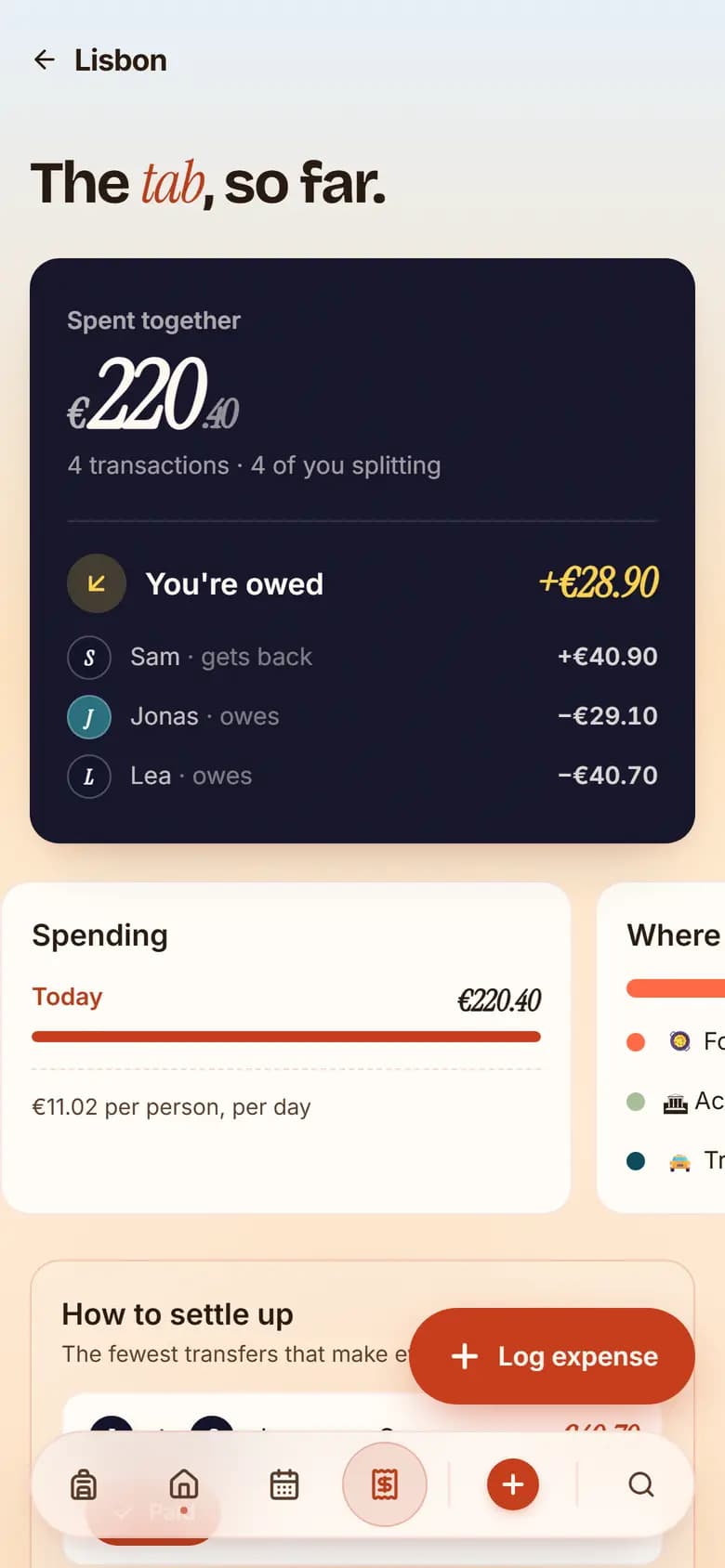
The thing all of them share is that the amount is disconnected from the trip. A line that says "Dinner 84 EUR" tells you nothing in three weeks. In TripSake the expense sits on the day, on the place and on the same member list as everything else, with no cap, multi-currency, receipt photo included, free. You settle once at the end and the total is one number per person.
None of these apps move money between people. Splitwise has payment integrations in some regions, and TripSake does not, so the actual transfer stays in your bank app either way.
The seven apps, honestly
Prices below were checked on July 3, 2026. Free tiers change quietly, so check before you commit a nine-person trip to one.
- Wanderlog. The best free planner most people find, with a large place library and genuinely strong multi-stop driving routes. Offline, dark mode, budget tracking, Gmail scanning and Maps export are Pro, free AI help stops after about five messages per trip, and there is no group voting.
- TripIt. Forward a booking email and get a clean itinerary back. Excellent at that one job. Flight alerts, the reason most people pay, are Pro only, and the whole thing is built around one traveller.
- Google Maps lists. Free, everyone has it, best offline maps here. It is a pile of pins. No days, no times, no votes, no costs, and after a while nobody remembers why half the pins are saved.
- Splitwise. Money only, and very good at money. Roughly three expenses a day on free, full-screen ads, receipt scanning behind Pro. Better than any travel app at rent and flatmate bills.
- Notion. Infinitely flexible, and the flexibility is the problem. Whoever builds the template maintains it forever, it has no map and no opening hours, and it is unpleasant to use on a phone in the street.
- The WhatsApp group. Where the trip actually starts, and where every decision gets buried. Zero friction, which beats every tool, and zero structure, which loses to all of them.
- TripSake. Reels and TikToks become places, guests join by link with no account, votes and polls settle the arguments, the day plan uses real travel times, offline works free, and expenses live in the trip. No flight or hotel price comparison, and no flight alerts. Free, with no paid tier.
What we would actually tell a friend
If you fly alone often for work, pay for TripIt Pro and ignore everything else on this page. It is better at flight alerts than we will ever be.
If your trip is two people driving through a country and you want hotel prices compared inside the planner, use Wanderlog and accept that offline costs money.
If the only thing you need is who owes who, Splitwise is one tap and everybody has it. Pay for it or stay under the cap.
If the trip started as saved videos in a group chat, involves more than three people, and at least one of them will not install anything, that is the case we built TripSake for, and the case the others handle worst.
Honest comparison
The comparison, feature by feature
The rivals column is the best of what Wanderlog, TripIt, Google Maps lists, Notion and Splitwise do, not the worst. Where one of them beats us, the row says so.
Everything here was checked on July 3, 2026 on the free tiers, because the free tier is what a group of six will actually be using.
| What | Wanderlog, TripIt, Maps lists | TripSake |
|---|---|---|
| Saved reels and TikToks | Nothing supports it. You watch the clip, work out the place, then type the name in. | Paste the link. Places shown or named in the video become pins with photos, ratings, price level and opening hours, with the clip kept alongside. |
| Getting six people in | Every collaborator makes an account. A Maps list can be shared, but it is only pins. | One invite link. Guests vote, comment and add places in a browser without signing up. |
| How the group decides | Shared editing, and the argument happens in the chat. Wanderlog has comments, no voting. | Yes or no per place, plus a poll when it matters. The plan changes when the poll closes. |
| Offline | Pro in Wanderlog. Free and excellent in Google Maps, which holds no plan. Unreliable in Notion. | The whole trip is cached free: plan, places, hours, day order and expenses. |
| Money | A second app. Splitwise caps free at about three expenses a day with ads; Wanderlog budgets are Pro. | Expenses on the day and the place, no cap, multi-currency, receipt photo, settle once at the end. |
| Chat | Some have an in-app chat. Nobody moves a four-year-old group into it. | Comments per place and polls for decisions. We do not try to replace WhatsApp. |
| Flights and hotels | Wanderlog compares hotel and flight prices. TripIt Pro watches your flights and warns you about gate changes. | We do neither, and are not planning to. If that is your main need, use theirs. |
| Price | Free tiers that stop at the useful part: offline, budgets, receipt scanning, flight alerts. | Free. No subscription, no per-trip charge, nothing behind a paywall today. |
There is no single best travel app, but there is a best answer per group. The questions that decide it are how your places arrive, whether everyone will sign up, and what stops working when the signal does. For a group in their twenties, whose trip began as a saved video and whose plan lives in a chat, most planners are solving the second half of the problem and charging for the parts that matter on the ground.
Questions travellers ask
Before you book
What is the best travel app for young people?
It depends on how your places arrive. If the trip starts as saved reels and TikToks in a group chat and more than three people are coming, TripSake is the only one that reads those links into a shared plan and lets people join without an account. If you fly alone often, TripIt Pro is better. If you want hotel prices inside the planner, Wanderlog is better.
Which travel app handles multi-user planning well?
Wanderlog and Notion both support shared editing, but everyone needs an account and neither has voting, so the loudest planner effectively decides. TripSake gives every place a yes or no, adds a poll when the group is split, and lets guests join by link without signing up, which is usually the difference between six collaborators and two.
Are there group trip itinerary planning apps with chat?
Several have an in-app chat, and in practice groups do not move off WhatsApp for one trip. What helps more is a decision that survives the chat: comments on individual places and a poll when there is a real disagreement, both of which change the plan when they close. TripSake does that and leaves the chat where it is.
Which group travel apps have offline maps for free?
Google Maps, if you download the area before you fly, though it holds no plan or group. TripSake caches the entire trip offline for free, including the day plan, opening hours and expenses. Wanderlog keeps offline access behind Pro, so its free version stops working at the point you need it most.
What is the best app for splitting costs on a group trip?
Splitwise if money is the only thing you need and you stay under the free cap of roughly three expenses per day. TripSake if you would rather not run a second app: expenses attach to the day and place that created them, with no cap, multiple currencies and receipt photos, free. Neither moves money between accounts, so the transfer stays in your bank app.
Can any travel app save reels or TikToks into an itinerary?
TripSake does. Paste an Instagram, TikTok or YouTube link and the places shown or named in the clip are identified and pinned with photos, ratings, price level and opening hours, with the video kept next to the pin. Wanderlog, TripIt, Notion and Google Maps all need you to work out the place name yourself and type it in.
Is TripSake free?
Yes. There is no subscription, no per-trip charge and no feature behind a paywall today, including offline access and expenses. Core planning features stay free.
About the author
The TripSake travel desk plans and walks the routes we publish. This comparison came out of three trips we ran in 2026 with groups of four, six and nine, using a different app each time until we gave up and built ours.
Keep reading