Honest comparison
A TripIt alternative for trips with other people in them
TripIt was built for the business traveller: one person, a stack of confirmation emails, a flight to catch. That shape does not survive contact with five friends and a shared apartment.
Where TripIt is still the better answer
If you fly often and alone, TripIt Pro does one thing extremely well: it watches your flights and tells you about a gate change before the airline does. We do not compete with that and are not trying to.
- Real-time flight alerts, delays and gate changes. We have nothing like it.
- Decades of parsing every airline confirmation format there is.
- Corporate travel integration and expense reporting.
- Point-to-point itineraries for someone travelling alone.
Side by side
| What | TripIt | TripSake |
|---|---|---|
| Forwarding a booking email | The core feature, and very good at it. | Forward to an import address and the booking lands on the trip as a real anchor in the day plan. |
Forwarding a booking email TripIt The core feature, and very good at it. TripSake Forward to an import address and the booking lands on the trip as a real anchor in the day plan. | ||
| Flight alerts | Pro only, and genuinely excellent. | Not offered. |
Flight alerts TripIt Pro only, and genuinely excellent. TripSake Not offered. | ||
| Free tier | Thin once the alerts are removed. | Everything, free. |
Free tier TripIt Thin once the alerts are removed. TripSake Everything, free. | ||
| Group travel | Built around one traveller. | Built around a group: members, polls, split costs, shared packing. |
Group travel TripIt Built around one traveller. TripSake Built around a group: members, polls, split costs, shared packing. | ||
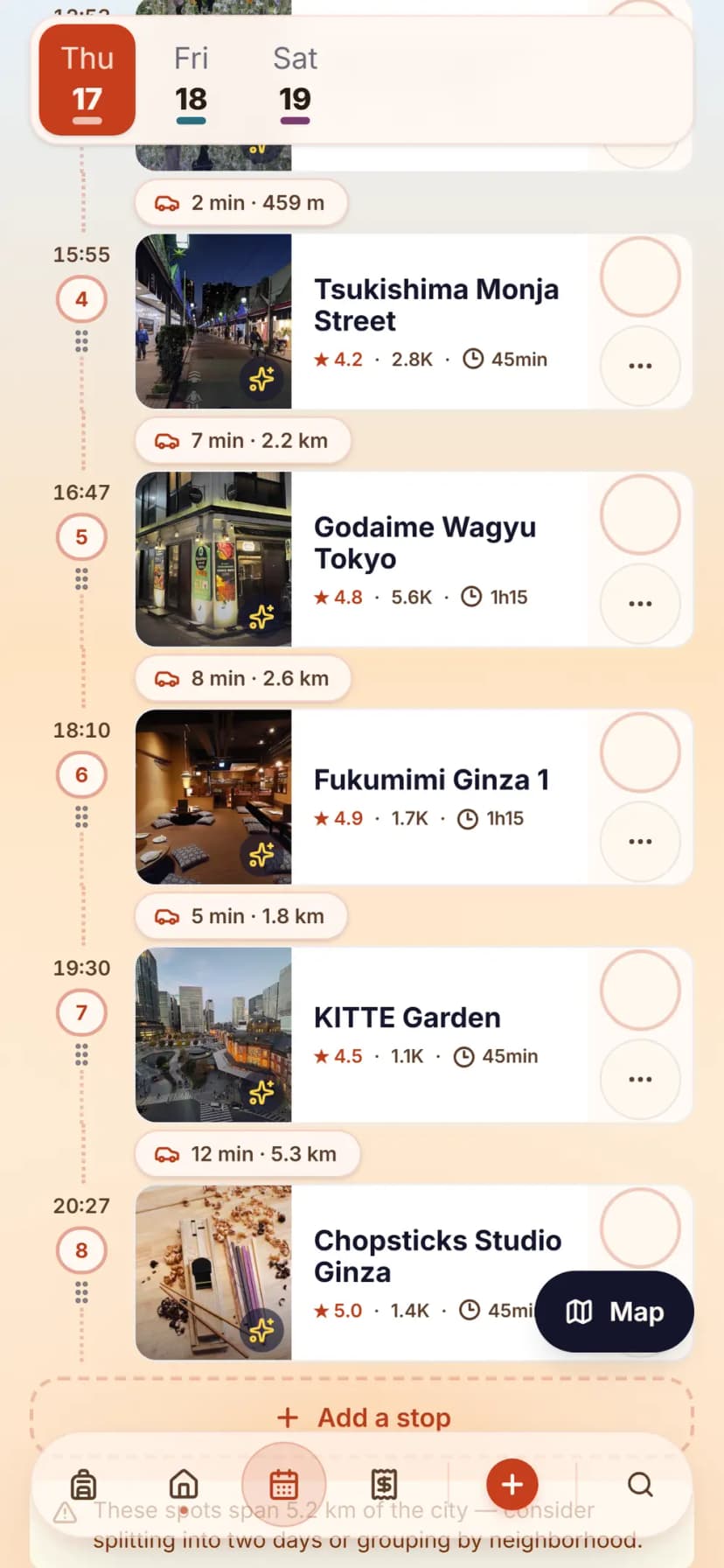
| Planning what you actually do | Organises what you booked. It does not help you decide. | Builds a routed day plan around the bookings, from places you saved. |
Planning what you actually do TripIt Organises what you booked. It does not help you decide. TripSake Builds a routed day plan around the bookings, from places you saved. | ||
| After the trip | An archive of itineraries. | Photos, a recap deck and a shareable card. The trip leaves something behind. |
After the trip TripIt An archive of itineraries. TripSake Photos, a recap deck and a shareable card. The trip leaves something behind. |
What each one costs
TripIt Pro
$49 / year
Flight alerts — the reason most people pay — are Pro only, which leaves the free tier thin.
TripSake
Free
TripSake is free to use. There is no subscription, no per-trip charge and no feature behind a paywall today. Core planning features stay free.
Competitor prices and tier limits verified on . Plans change; check the vendor’s own pricing page before you decide.

Moving a trip over
- Create the trip.
- Forward the confirmation emails to the import address. Hotels, flights and tickets land on the right days.
- Add the group with one invite link.
- Keep TripIt for solo work flights if you like the alerts. They do different jobs.
TripIt is a filing cabinet for one traveller and a very good one. If the trip has four other people in it, filing is the smallest of your problems.
Common questions
Before you switch
Does TripSake send flight delay alerts?
No. TripIt Pro is better at this and we do not pretend otherwise. If flight alerts are why you pay, keep paying.
Can I forward booking emails like I do with TripIt?
Yes. Forward to the import address from the address on your account and the booking is attached to the matching trip, including documents.
Is TripSake good for business travel?
No. There is no expense reporting, no corporate policy layer and no travel-manager view. It is built for trips with friends.
What happens to my bookings on the trip?
They sit in a vault the whole group can open, and they anchor the day plan — a dinner reservation blocks the time it actually takes.
Other comparisons
- A Splitwise alternative with no expense cap — and the rest of the trip in it
- A Wanderlog alternative where offline and dark mode are not the paid tier
- A Roadtrippers alternative for trips that are not only driving
- A Polarsteps alternative that plans the trip, not only remembers it
- A Notion travel planner alternative for people tired of maintaining a database
- A Google Maps alternative for the part after the pins